
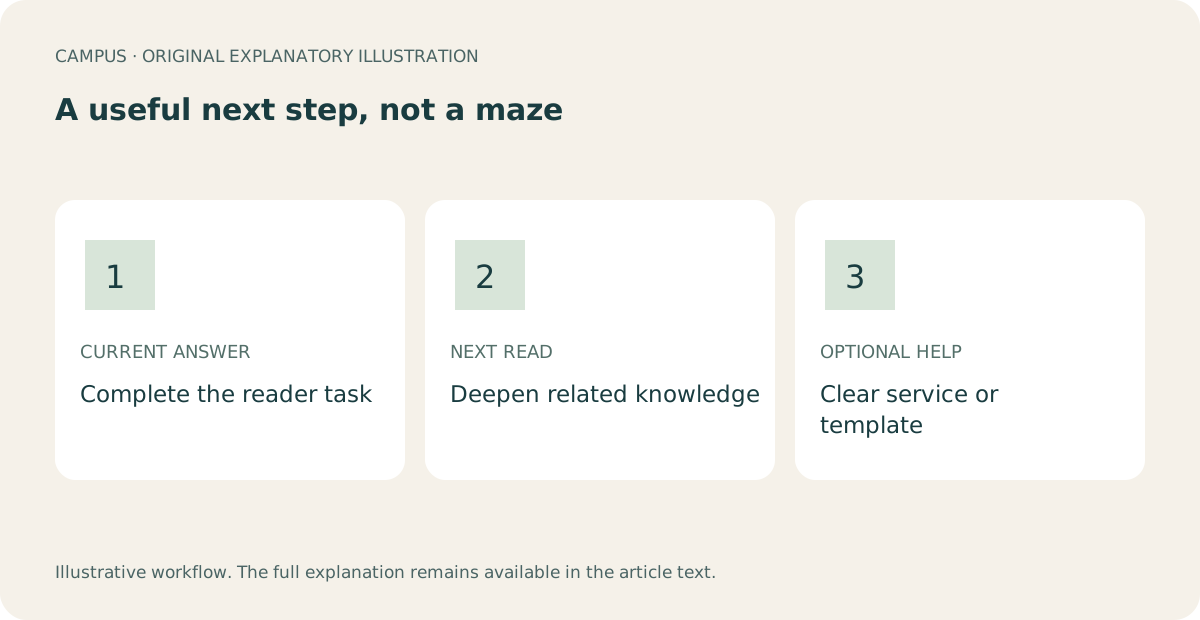
A related link should answer a question created by the page the reader is already on. It should not interrupt the promised answer, send someone to an unavailable product, or turn the end of every article into the same catalog.
Finish with: a small route map for one complete article: up to two relevant learning paths, one clearly optional help path when it fits, and a checked record of every destination.
Illustrative reader path. Every proposed destination still needs publication-time verification.
Begin at the article's finish line
Write down what the reader can do after following the current article. Related reading begins there—not at the article's topic label.
For example:
- After making and installing a favicon, a reader may want to create a social-share image or triage the remaining launch decisions.
- After writing a service page, a reader may need to organize its headings or build the page into a mobile-first layout.
- After a project handoff, a reader may need an asset inventory or a consolidated review checklist.
If the current article does not deliver its own promised result, repair the article before adding links. A reader should never have to leave the page to obtain the central answer named in its title.
Give each link one of three jobs
Use a simple route model:
- Clarify here: a contextual link explains a term or prerequisite at the point where it arises.
- Continue learning: an end-of-article link supports the next natural task.
- Get optional help: a service or real product shortens implementation after the free answer is complete.
The jobs must stay distinct. A service inquiry is not related reading. A preview product is not a download. A draft article is not a public destination.
This is also what makes this guide different from the Campus content-review checklist: that article organizes decisions about one draft. This article designs and verifies the paths between already useful, publishable destinations.
Build a small route map, not a web of everything
For each proposed link, write the current article, the reader's next question, the destination, and why that destination answers it.
Current article: Make and add a favicon
Reader finished: Icon installed and checked

Next question: What image appears when I share the page?
Destination: Make and check a social-share image
Reason: A separate, immediate website-detail task

Next question: What else blocks this site from launch?
Destination: Website launch triage
Reason: Moves from one finished detail to release decisions

Optional help: Discuss implementation across the full site
Status: Service conversation, not a booking or guaranteed result
Two strong next reads are usually more useful than a row of six weakly related cards. Do not link to the newest item merely because it needs exposure, and do not send every article back through the same generic hub when a precise destination exists.
Place the link where its reason is clear
A contextual link can prevent a useful article from becoming a second full tutorial. For example: “If the image is sharp but the important subject disappears on a phone, use the mobile-crop guide.” The sentence states the condition and what the destination helps resolve.
End-of-article links work well for next tasks that should not interrupt the current workflow. Keep the list quiet enough that a reader can understand the choices.
Use destination-specific link text. “Read the contact-form test” is clearer than “click here,” especially when several links appear together. For crawlability, use an <a> element with an href that resolves to a real URL. Do not rely on a script-only span or an anchor without an href as the article link. Google's crawlable-link guidance describes ordinary anchor links and meaningful anchor text. That guidance does not mean repeating an exact phrase unnaturally or adding links only for search engines.
Record status before exposing the route
Maintain a link inventory with these fields:
| Field | What to record |
|---|---|
| Source | Exact article and placement |
| Destination | Established public URL, not a guessed slug |
| Promise | What the link text says the reader will find |
| Status | Live, held draft, preview, English-only, or unavailable |
| Checked | Date and environment used to open it |
| Return route | How the reader can return or continue without losing orientation |
When the site has an established canonical destination, link to it consistently rather than to duplicate variants. If the destination is still a draft, keep it in the editorial plan until its real public URL is confirmed. If a destination is English-only, do not describe it as a translated resource. If a product is a not-for-sale preview, do not label the link “Buy” or “Download.”
Test the actual reader route
In the private integration candidate, open every link from the rendered article. Confirm that it reaches the promised content, preserves the expected language or uses an honest fallback, and does not land on a redirect loop or error page.
On mobile, confirm each link is readable and usable. For grouped cards or controls, check target size and spacing. WCAG 2.2's Target Size (Minimum) guidance describes the inline-text exception and the other conditions; do not treat the exception as permission to make dense link groups hard to activate. Use the keyboard to reach the link and follow it. Use the browser's Back action and confirm the reader returns to the article context rather than losing their place unnecessarily.
For a contextual service path, check the destination label and source parameter, but do not submit a form or create an external action as part of a navigation test. The article must remain complete if the reader never opens the optional path.
Completion check
The route map is ready when every link has a specific reader reason, the public destination exists, the label matches what is there, and the article remains useful without clicking. Related reading should offer a useful next step, not make readers keep navigating to obtain the answer they came for.
Verification note: Google's crawlable-link guidance and W3C target-size guidance were rechecked on 23 October 2026. The related destinations and optional service route still need to be opened from the rendered publication candidate and recorded with the test date and environment before release.