
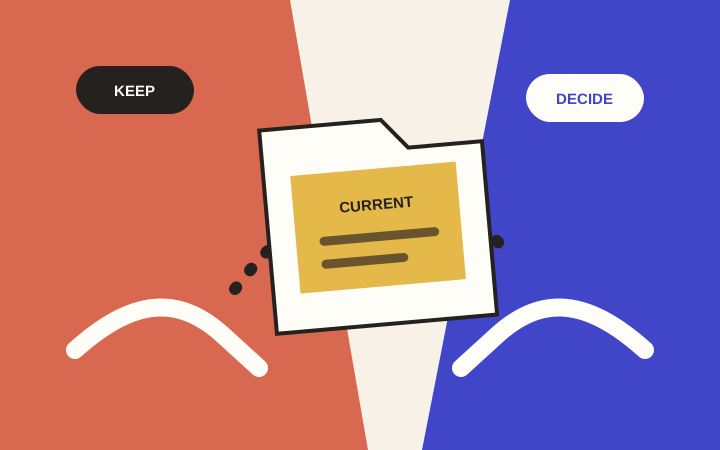
A half-finished project usually contains more useful work than it first appears. The problem is that decisions, files and unfinished tasks are scattered across messages, folders and someone's memory.
Before asking a new person to help, make a small handoff packet. The goal is to let them see what is worth keeping, what is uncertain, and what you need next.
You can do this in an ordinary document. You do not need to reorganize your entire business.
1. Describe the finish line
Write four short answers:
- What are we trying to finish?
- Who needs to use it?
- What should they be able to do?
- What is outside this round of work?
For a fictional community workshop page:
“We need an event page that explains the workshop and links to the existing registration service. The approved date and venue must stay unchanged. A new payment system is outside this round.”
If there is a real deadline, include its date and reason. If it is a preference, say so. The next person needs to know the difference between an event date and an aspirational launch date.
2. Point to the current version
Choose one document or preview as the current working version. Label older versions as reference material without deleting them.
Then list what you have:
- Current preview or working file.
- Editable design or document files.
- Approved copy and images.
- Relevant brand files.
- Feedback and decisions that still apply.
A useful entry says, “Workshop page, current preview, reviewed Tuesday; the venue is correct, but the registration link is not.” A folder named “final-final-new” does not tell the next person enough.
Do not move or rename shared files until you know who relies on their current locations.
3. Separate decisions from preferences
Make three short sections: “Keep,” “Change,” and “Need a decision.”
Under “Keep,” record approved facts or choices: business name, offer, date, logo, existing registration provider.
Under “Change,” describe a concrete problem and the desired result. Instead of “Make it cleaner,” try “The event date is difficult to find. Put it beside the event title and keep it visible on a phone.”
Under “Need a decision,” list the questions that no one has settled. Do not turn an unanswered question into an instruction.
For each decision, name the person who can approve it. A helper can move faster when they know whose answer is final.
4. Make an access map, not a password list
List each relevant system, its purpose, the account owner and the access the next person needs. Keep passwords, recovery codes and payment details out of the handoff document.
For example: “Website editor: owner is Morgan; draft editing is needed; publishing stays with Morgan.”
Use the platform's sharing or collaborator controls where available. In Google Drive, you can choose viewing, commenting or editing access. Folder permissions can affect the files inside, so check the parent folder before sharing. Google's sharing guide explains the controls.
WordPress also has roles with different capabilities. Its roles documentation is a useful reference if that is your platform. The right access depends on the actual task; a generic handoff does not require giving everyone full administration rights.
5. List what is unresolved
Write the open issues in a format someone else can act on:
“On [page or file], when [action], we see [result]. We need [expected result].”
Add known limitations and previous attempts. “The form was tested on a phone; the confirmation appears, but delivery has not been verified” is more helpful than “The form is broken.”
Be clear when you do not know. An honest unknown prevents someone from treating a guess as a requirement.
6. Agree on the next small delivery
Choose a piece of work that can be reviewed clearly: a corrected customer path, one finished page, or a review-ready set of posts.
Record:
- What will be delivered.
- Who will review it.
- What counts as accepted.
- Which changes need a separate decision.
- Who can authorize publication or a live-system change.
Ask the new person to summarize their understanding before work starts. If their summary misses something important, fix the packet rather than adding another scattered message.
Your next move
Fill out the Handoff section of the Finish This Project checklist. Share only the relevant materials with the people who need them, using the agreed access settings.
When you are ready to explore help, open Finish Finder or visit Finish the Stuff. A clear handoff gives that conversation somewhere useful to begin.