
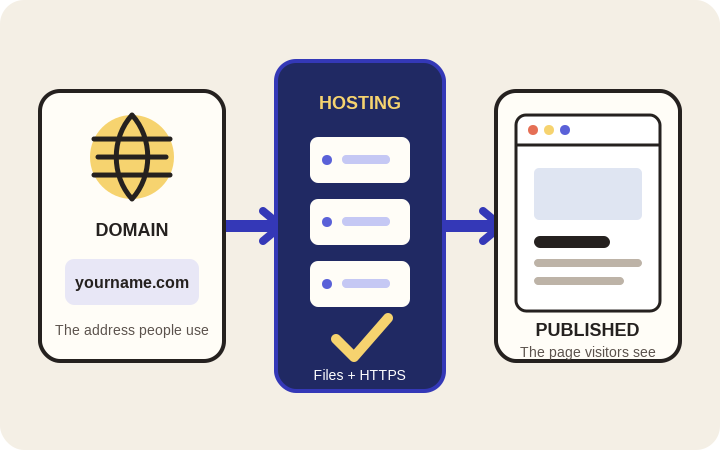
A finished website needs somewhere to live online. You can arrange that through your own provider or choose managed hosting. Both are valid options. The useful question is who will handle the setup and ongoing administration.
Before comparing prices, look at the full cost: hosting, domain renewals, any separate media services, and the time someone will spend managing them. Check renewal prices and plan limits as well as introductory offers.
Your domain is the address
Your domain is the name people type to reach your website. Hosting stores and delivers the pages, images, videos and other files visitors see.
Registering a domain alone does not publish your website. Some providers bundle a domain with hosting, but you still need an appropriate hosting service and a connection between the two. That connection is configured through domain settings called DNS.
Choose hosting for the actual website
A site made only of HTML, CSS, JavaScript and media files can often use static hosting. Other features, such as accounts, forms, payments or databases, may require additional services and configuration. Check what your particular site uses.
Video deserves its own check. A provider may accept a video file without delivering the playback experience you expect. Test loading, playback and skipping ahead on the actual published site, especially on phones.
The site also needs HTTPS, which encrypts the connection between the visitor’s browser and the server. Providers often describe the certificate setup as SSL, although modern HTTPS uses TLS.
A four-item checklist for your hosting team
- Confirm the plan. Check compatibility with the supplied website, supported website count, file-size and traffic limits, media requirements, and current and renewal costs.
- Publish and connect. Upload the complete site with its folder structure intact, configure the domain and HTTPS, and set up any required redirects without disrupting existing email.
- Test the real address. Check pages, images, links and mobile layouts. Test video playback and seeking, including the host’s support for partial-file requests, and any integrations the site actually uses.
- Assign ongoing responsibility. Decide who manages provider access, billing, renewals, updates and troubleshooting. Keep a copy of the site and agree on a recovery approach.
What managed hosting changes
Finish the Stuff’s managed hosting option covers hosting, SSL and basic availability checks. It can reduce the separate provider setup and coordination you manage yourself. Website edits, new video and domain renewals are separate; your proposal sets the scope and price.
Using your own provider is a practical choice when you already have a suitable plan and someone responsible for the technical work.
Before either option goes live, confirm permission to publish the content. For property websites, also check the applicable broker and listing-service rules, including whether a branded or unbranded tour link is needed. Hosting alone does not establish those permissions.
Choose the arrangement that fits your team, budget and preferred level of involvement.
References
These primary sources were checked on 5 November 2026:
- GoDaddy web hosting overview
- MDN: What is a domain name?
- MDN: HTTPS
- MDN: HTTP range requests
- Cloudflare Pages limits
- Cloudflare Pages: serving pages
- Cloudflare Pages: custom domains
Scope note: The managed-hosting description comes from the Finish the Stuff business brief, not an external provider. This guide does not quote provider prices or promise compatibility, availability, or a particular result.