
Short answer: describe what an image contributes in its specific context. Describe meaningful information, label the destination or action of an image-only control, use an empty alt="" for a truly decorative image, and put complex conclusions in real nearby text.
Finish with: an image inventory that records each image’s page, purpose, proposed alternative, nearby explanation, and review status.
Verification status: W3C guidance was reviewed on 22 October 2026. Final CMS output and assistive-technology behavior have not yet been checked for this draft. It is instruction, not an accessibility certification.
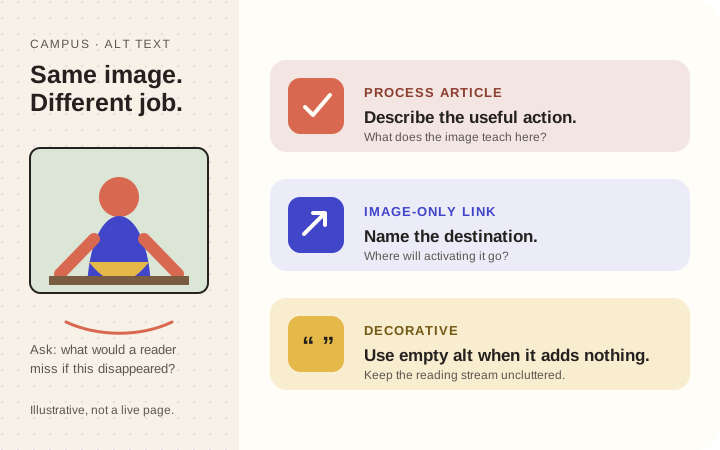
Illustration: original explanatory example. Its full lesson appears in the text below.
1. Ask what disappears with the image
Temporarily imagine the image is unavailable. What would the reader lose: a repair condition, a button’s destination, a chart’s conclusion, or nothing because nearby text already supplies the meaning?
Use the W3C image decision tree to identify the image’s role. Do not begin by cataloguing every visible object. Begin with the information or function the page needs.
Create a small inventory:
| File | Page | Purpose | Proposed alternative | Nearby text | Review |
|---|---|---|---|---|---|
chair-joint.jpg | Repair step | Shows the gap before clamping | “The loose chair joint is separated enough to expose the old glue.” | Step explains cleaning | Pending |
This stops one generic description from being copied into unrelated contexts.
2. Describe meaningful information without inventing it
For an instructional photograph of a chair joint before clamping, “The loose chair joint is separated enough to expose the old glue” tells the reader what the image demonstrates.
“Beautiful expert furniture repair affordable local repair best carpenter” does not. Neither does IMG_4821.
Do not infer emotions, diagnoses, identities, relationships, locations, or results the image does not establish. If a name or location matters, verify it. For an unidentified person, describe the relevant action rather than inventing a biography.
3. Describe the function of image-only controls
When an image is the only content of a link or button, its alternative should communicate the action or destination. “Download the workshop checklist” is more useful than “Blue rectangle.”
If visible link text already communicates the same action, repeating it in the image alternative may create noise. Inspect the complete control, not the graphic in isolation. W3C’s images tutorial explains how an image’s purpose changes the appropriate alternative.
4. Make decorative images intentionally quiet
A flourish behind a heading can add visual character without adding information. In HTML, a decorative image can use an empty alternative, alt="". Empty is an intentional decision; omitting the attribute is not the same thing.
Your CMS may offer a decorative-image setting. Inspect what it produces rather than assuming an empty form field creates correct output. Essential instructions should never exist only in background artwork.
5. Put complex conclusions in real text
“Sales graph” does not make a detailed chart understandable. Give the graphic a concise identity, then put every label, value, and relationship needed to understand it in nearby structured text. A short headline conclusion is not enough when the graphic also shows categories, quantities, dates, or connections that the task depends on.
For a chart, name the series and axes, provide the relevant values, and state how they compare. For a diagram with three workflow stages, write the stage names and their order or branching relationship as a real list beside it. Readers should not have to decode the image to learn the process. Real text is also easier to translate, quote, resize, and read on a phone.
6. Review the final context
Read the heading, paragraph, image alternative, caption, and linked destination together.
- Are they repeating the same sentence?
- Does the alternative add information the image does not prove?
- Does a linked image explain where it goes?
- Would the page still communicate its essential lesson without the image?
- Has a CMS changed or omitted the intended attribute?
Keep a simple alternative brief and useful. When an image carries complex information, use a short identification and make the essential detail available in structured nearby text rather than forcing everything into one alt attribute.
Practice: one image, three jobs
Use one workbench photograph in three hypothetical contexts:
- Process article: describe the tool arrangement that supports the step.
- Atmospheric contact-page art: use an empty alternative if the image adds no content.
- Only link to a workshop tour: describe the destination or action.
The file did not change; its purpose did.
Done means: every image has a deliberate role, essential information remains available as text, and the rendered page makes sense when images are unavailable.
Verification note: Primary guidance was rechecked on 23 October 2026. Final CMS output and assistive-technology behavior remain checks for anyone applying the method to a specific site.